No fear,
just play with Git.
LithiumGit is a free, open-source Git GUI for Windows, macOS, and Linux. Powerful enough for pros, simple enough for beginners.
Everything you need, nothing you don't
A full Git workflow — visually.
Interactive Graph
Visualize your full commit history as an interactive, color-coded graph. Merge, rebase, cherry-pick, and branch — all from one view.
Local Changes
Stage files, review diffs, and craft your commits with a clean side-by-side diff viewer. No command-line needed.
Commit History
Browse, search, and filter your full commit history. Inspect any commit's changes at a glance.
Stash Management
Save, apply, pop, and delete stashes effortlessly. Keep your working tree clean without losing progress.
LithiumGit at a glance
See the features that make your Git workflow smoother.
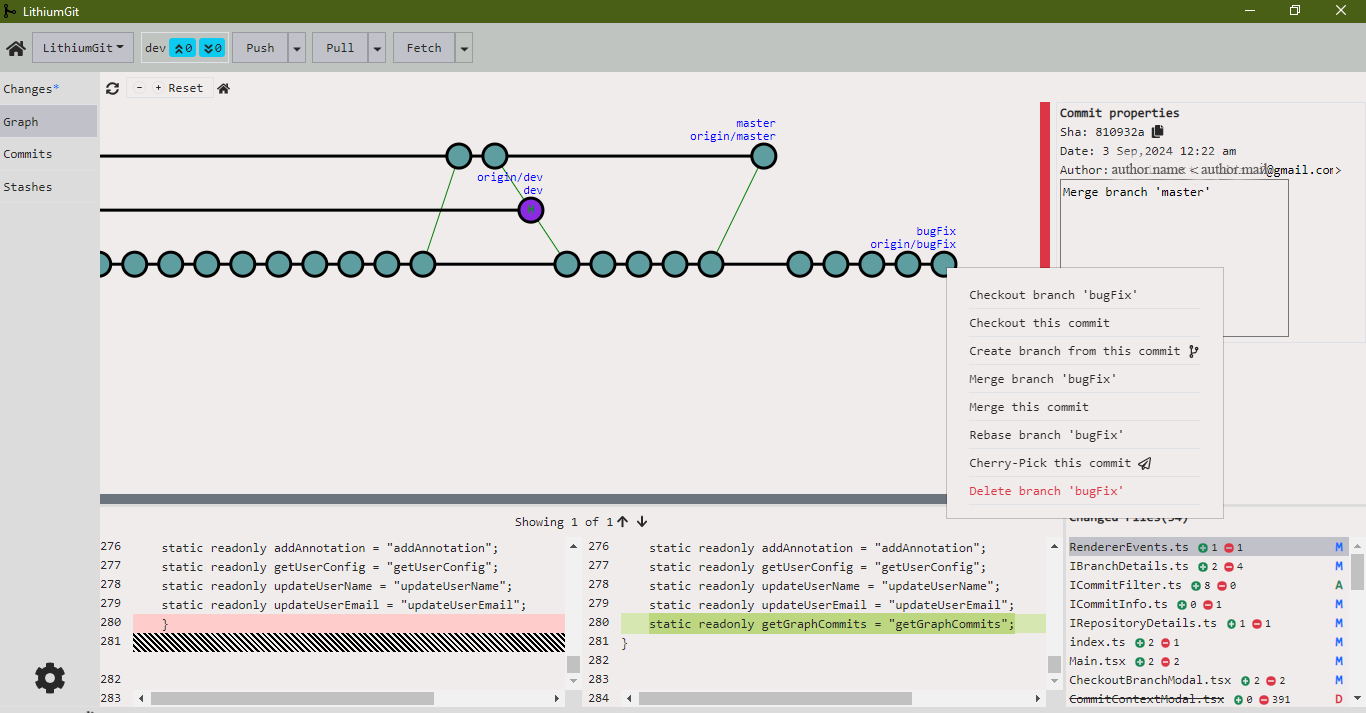
Interactive Graph
The interactive graph gives you a full overview of the change history. Perform merges, checkouts, rebases, cherry-picks, and branch creation directly from the graph view.
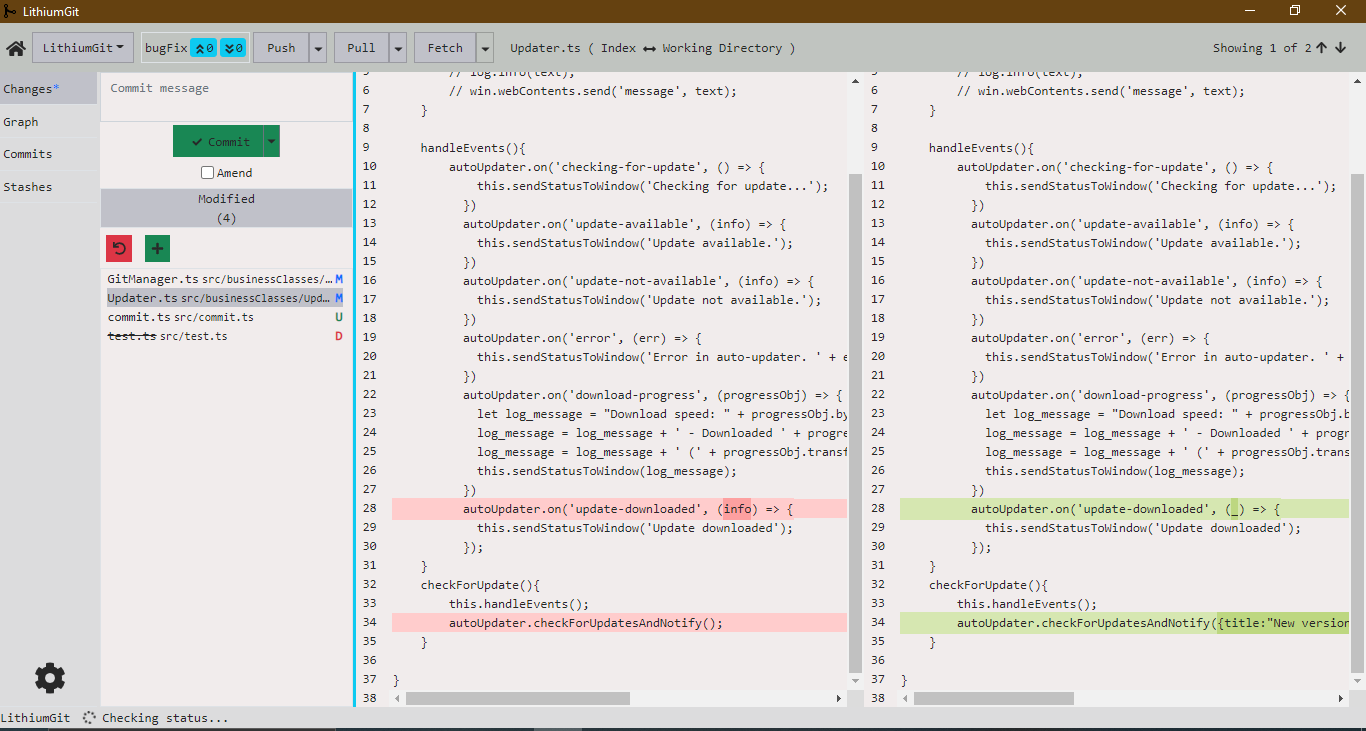
Local Changes
Stage individual files or hunks, review your diffs side-by-side, and write meaningful commit messages — all without touching the terminal.
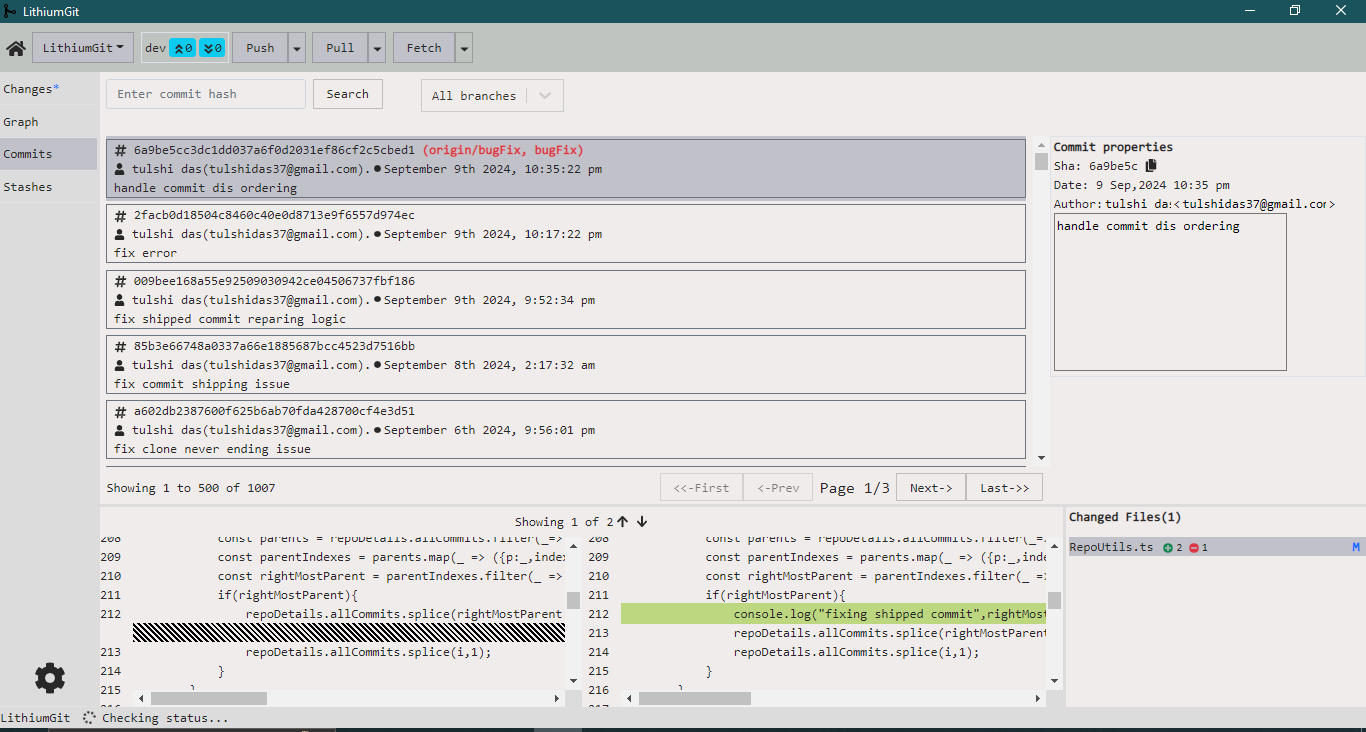
Commit History
A searchable, filterable commit list lets you quickly find any change in your project's history. Inspect file diffs per commit with one click.
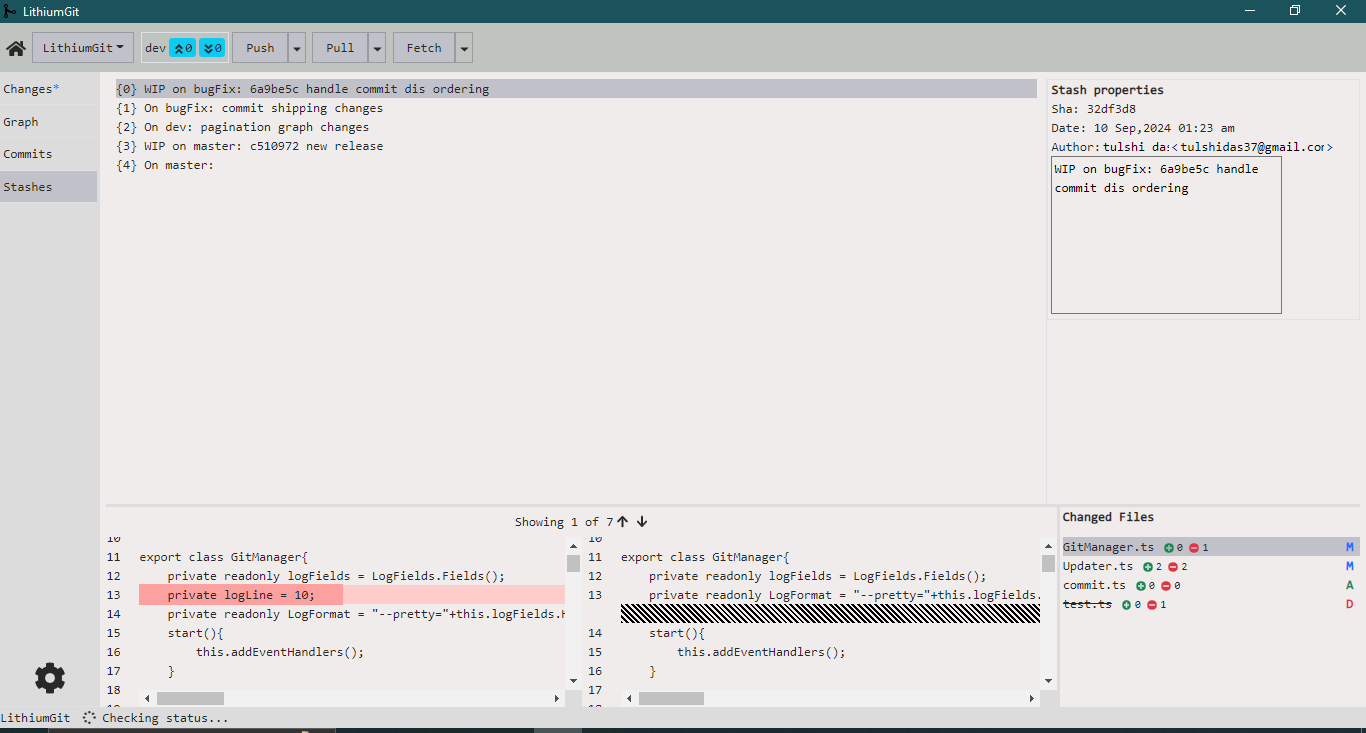
Stash Management
View all stashes at a glance. Pop, apply, or delete them with a single action — keeping your workflow fast and clean.